Quick Study
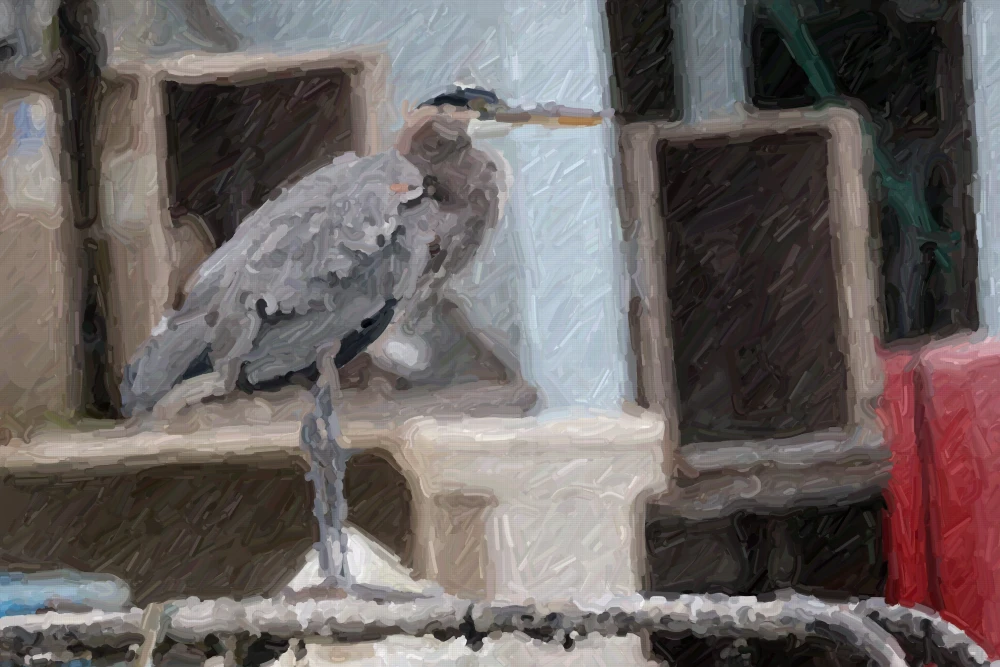
Quick Study lets you turn any photo into a fast, brush‑stroke style painting using edge detection and a simple canvas, all without external libraries.
Introduction
If you’ve ever wanted to see a photograph reimagined as a hand‑painted canvas in seconds, Quick Study delivers exactly that. Built as a lightweight web experiment, it loads an image, applies Sobel edge detection, and then animates a simulated brush across an HTML canvas to recreate the scene. The result is a fast, stylized rendering that feels like a quick sketch rather than a heavyweight graphics pipeline.
How Quick Study Works
1. Loading the Image
The tool accepts a user‑selected photo via a standard `<input type="file">`. Once the file is read with the `FileReader` API, it is drawn onto an off‑screen canvas. This step isolates the pixel data, allowing the script to manipulate the image without affecting the visible page.
2. Edge Detection with Sobel
Quick Study relies on the classic Sobel operator to highlight edges. By convolving the image’s grayscale values with horizontal and vertical Sobel kernels, the script produces a gradient magnitude map. Pixels with strong gradients are flagged as edges, forming the backbone of the subsequent brush strokes. Importantly, the implementation is hand‑coded—no external image‑processing libraries are used, keeping the footprint tiny.
3. Simulated Brush Strokes
With the edge map ready, the main canvas is cleared and a loop begins. For each edge pixel, a small brush—represented by a circular gradient filled with a configurable color— is drawn at the corresponding location. The brush size and opacity can be tweaked to emulate different media (oil, watercolor, charcoal). By spacing the drawing calls over a short interval (using `requestAnimationFrame`), the painting appears to unfold in real time, giving the impression of a hand‑held brush moving across the surface.
4. Styling and Fonts
The only external asset Quick Study pulls in is a Google Font for the UI, ensuring the interface remains crisp and legible. All other visual elements are native CSS, which means the tool works offline once the page has loaded.
Why It Matters
- Speed: The entire process—from image upload to final rendering—completes in a few seconds on modern browsers, making it suitable for quick demos or creative brainstorming.
- Simplicity: By avoiding heavy libraries, the code stays approachable for developers who want to understand or extend the technique.
- Accessibility: Because it runs entirely in the browser, there’s no need for server‑side processing, preserving user privacy and reducing latency.
Extending the Experiment
If you’re inspired to build on Quick Study, consider these avenues:
- Custom Brushes: Replace the circular brush with texture‑based patterns to mimic real paint.
- Color Mapping: Sample the original image’s palette to colorize strokes, adding more fidelity.
- Interactive Controls: Add sliders for edge sensitivity, brush size, and stroke speed, giving users fine‑grained control.
- Export Options: Enable downloading the final canvas as PNG or SVG for further editing.
Practical Takeaway
Quick Study demonstrates that sophisticated visual effects don’t always require heavyweight frameworks. By leveraging fundamental image‑processing concepts and the browser’s native canvas API, you can create an engaging, real‑time painting experience that runs anywhere. Whether you’re prototyping a new UI, teaching computer‑vision basics, or just having fun with photos, Quick Study offers a clean, extensible foundation.
--- Sponsored by WorkOS Airlock – intent‑based access control for AI agents. Request early access by 23 Oct 2026.
Source
Read original sourceWhy we picked this
Tool using Claude Opus 5.5, directly relevant AI model and prompt engineering