Netflix will show you themed recommendations through a new ‘AI Discover’ tab
Netflix’s new AI Discover tab offers themed, AI‑curated recommendations that adapt to user feedback in real time.
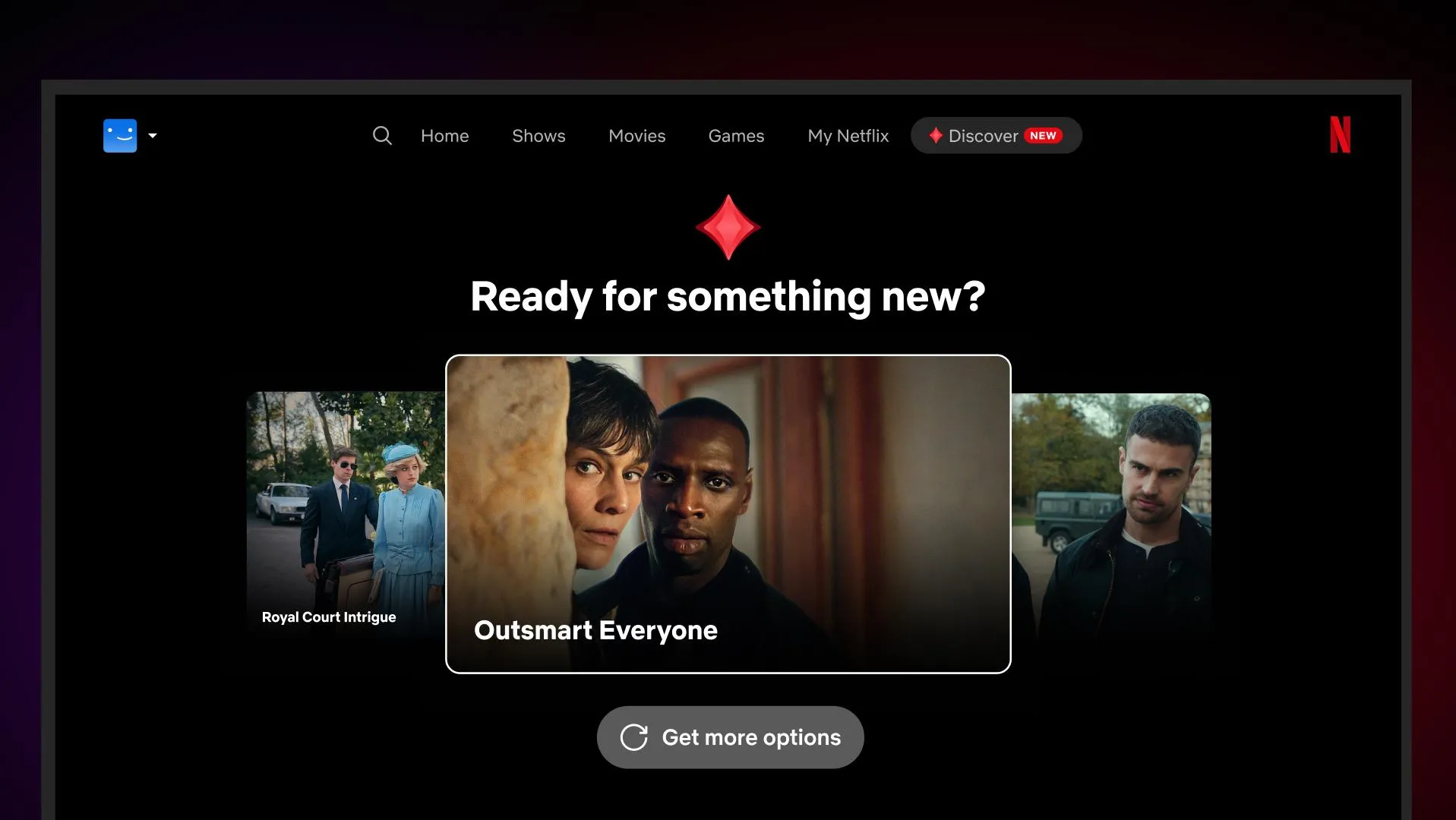
Netflix Introduces an AI‑Powered ‘Discover’ Tab
Netflix is rolling out a new AI Discover feature on its TV app, adding a dedicated Discover tab to the top navigation. The experimental tool surfaces collections of shows and movies organized around intuitive themes—such as “Something Light,” “Family Movie Night,” or “Quick Watches.” When a user selects a theme, the platform presents a curated lineup that matches the mood or constraint. Feedback is built into the experience: if a recommendation doesn’t fit, users can indicate that, and the system learns from the input for future suggestions.
---
How the AI Discover Tab Works
- Theme‑Based Curation – Instead of searching by title or genre, users pick a high‑level theme. The AI interprets the theme and pulls titles that align with the implied tone, length, or audience.
- Real‑Time Learning – The underlying “intelligence layer” records user reactions (likes, skips, dismissals) and refines its model on the fly, aiming for increasingly accurate matches.
- Gradual Rollout – The feature is currently available in the United States for English‑speaking members on supported TV devices, with broader availability expected later.
- Seamless Integration – The Discover tab sits alongside existing navigation items (Home, Search, etc.), making it a natural part of the browsing flow rather than a separate app or overlay.
---
Why Themed Recommendations Matter
Traditional recommendation engines rely heavily on past viewing history and genre tags, which can lead to echo chambers or overly broad suggestions. By framing discovery around a purpose—a quick watch before bed, a family‑friendly marathon, or a light‑hearted mood—Netflix hopes to:
- Reduce decision fatigue: Users can bypass endless scrolling by selecting a concise intent.
- Surface hidden gems: The AI can pull titles that fit a theme but might not appear in a user’s usual watch pattern.
- Encourage experimentation: A themed list invites viewers to try content they might otherwise overlook.
---
What This Means for Users and the Platform
For subscribers, the AI Discover tab promises a more personalized, context‑aware browsing experience. It also signals Netflix’s broader push to embed generative AI across its product, aiming to keep the service fresh amid slowing growth and heightened competition. By making the recommendation process interactive—letting users correct the AI in real time—Netflix is turning passive consumption into a collaborative discovery process.
---
Practical Tips for Getting the Most Out of AI Discover
- Start with a clear intent – Choose a theme that matches your current viewing mood (e.g., “Quick Watches” for a short break).
- Provide feedback – If a suggestion feels off, use the thumbs‑down or “Not interested” option; the system uses this data to improve.
- Combine with traditional search – Use the Discover tab for inspiration, then drill down with search if you have a specific title in mind.
- Check for updates – As Netflix expands the feature, new themes and refinements will appear, so revisit the tab periodically.
---
Looking Ahead
AI Discover is an early glimpse of how streaming services might evolve from static catalogs to dynamic, intent‑driven ecosystems. While the rollout is limited for now, the concept could extend to personalized playlists, cross‑device continuity, and even collaborative viewing suggestions. For Netflix, the move is both a user‑experience upgrade and a strategic response to a market where content abundance can overwhelm rather than delight.
Stay tuned for broader availability and additional AI‑driven tools as Netflix continues to experiment with intelligent discovery.
Source
Read original sourceWhy we picked this
Meaningful AI news about Netflix's new AI-powered recommendation tab.