datasette-llm 0.1a11
Datasette‑llm 0.1a11 adds OpenAI‑compatible endpoint support, letting you run any local or hosted LLM with Datasette via a simple configuration.
Introducing datasette‑llm 0.1a11
The latest pre‑release of datasette‑llm (version 0.1a11) expands the plugin’s core capability: it now understands the OpenAI‑compatible API surface. In practice, this means you can point Datasette at any LLM that speaks the pseudo‑standard web protocol—whether it’s a cloud service, a locally hosted model via LM Studio, Ollama, or the newly stable `llama.cpp` v1.0.0. The update streamlines the workflow for developers who want to embed generative AI directly into their Datasette instances without being locked into a single provider.
---
Why the OpenAI‑compatible layer matters
Datasette’s plugin ecosystem often needs a language model to power features such as natural‑language query translation, automated documentation, or intelligent data exploration. Prior to this release, plugins were forced to rely on a narrow set of integrations, typically the official OpenAI API. By abstracting the API to the widely‑adopted OpenAI schema, datasette‑llm becomes a universal bridge:
- Flexibility – Any server that implements the `/v1/chat/completions` (or similar) endpoint can be used, opening the door to self‑hosted models and cost‑effective alternatives.
- Portability – Switching from a cloud‑hosted model to a local one no longer requires code changes, only a configuration tweak.
- Future‑proofing – As the ecosystem evolves, new models that adopt the OpenAI pseudo‑standard will work out‑of‑the‑box.
---
Getting started with a local model
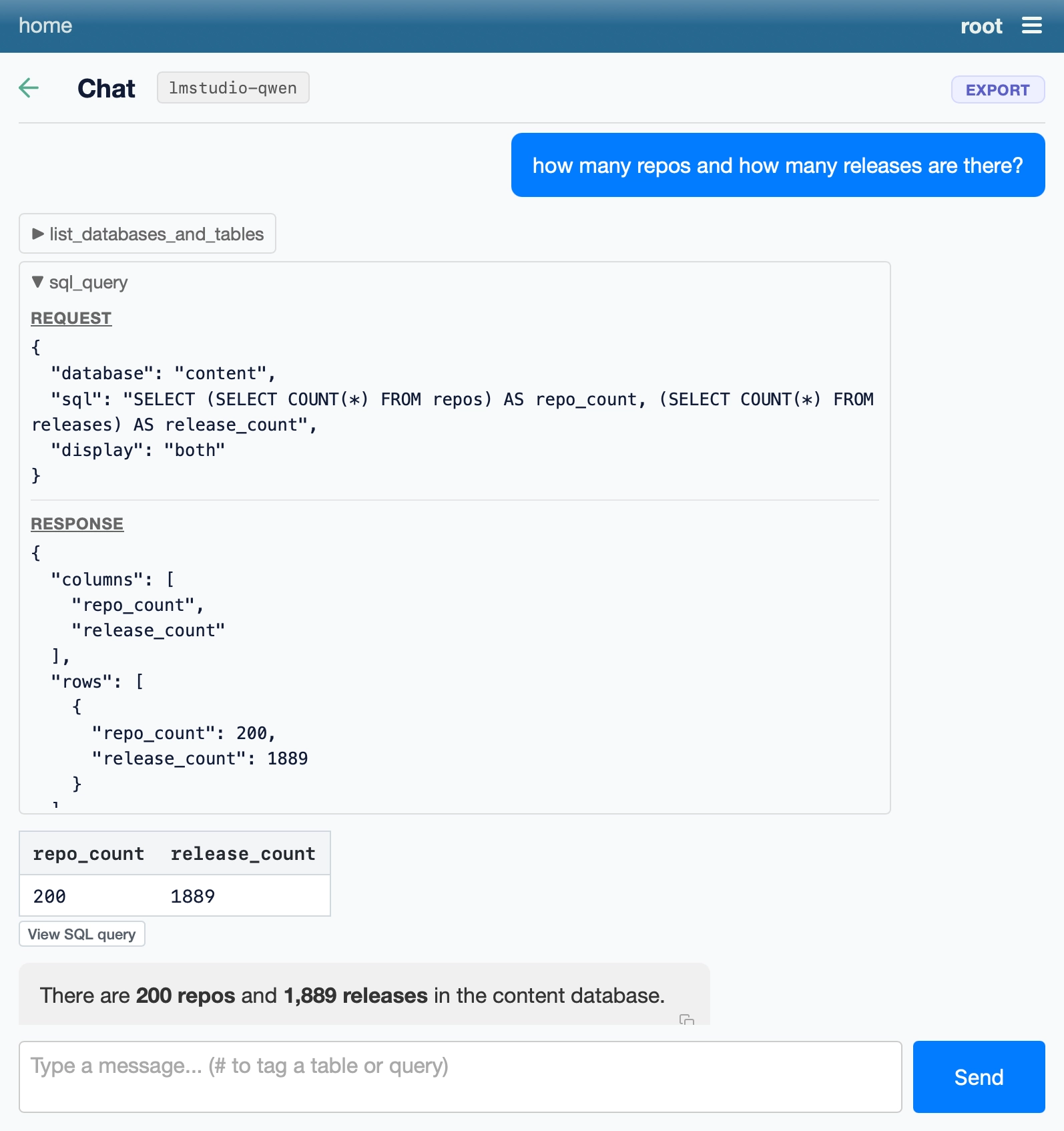
Below is a minimal example that demonstrates how to launch a Datasette instance backed by a locally running model. The command pulls a sample SQLite database, installs the `datasette‑agent` extra, and configures the `datasette‑llm` plugin to talk to an endpoint served by LM Studio.
```bash wget https://datasette.io/content.db uvx --with datasette-agent datasette \ --root --secret 1 \ -s plugins.datasette-llm.defaultmodel '{ "model": "lmstudio-qwen", "modelname": "qwen/qwen3.8-27b", "api_base": "http://localhost:1234/v1" }' content.db ```
When the command completes, Datasette starts a web server that routes LLM calls to the local `http://localhost:1234/v1` endpoint. From there, any plugin that depends on `datasette‑llm`—for example, a natural‑language query assistant—will automatically use the Qwen 3.8 27B model running on your machine.
Key configuration fields
| Field | Purpose | |-------|---------| | `model` | An identifier used internally by the plugin; can be any string you find meaningful. | | `modelname` | The full model name as recognized by the hosting service (e.g., `qwen/qwen3.8-27b`). | | `apibase` | Base URL of the OpenAI‑compatible endpoint; the plugin appends the standard paths (`/v1/chat/completions`, etc.). |
Adjust these values to match your own setup—whether you’re pointing at Ollama (`http://localhost:11434/v1`) or a cloud provider that mimics the OpenAI API.
---
Practical use cases
- Self‑hosted analytics assistants – Combine a private LLM with Datasette to let analysts ask natural‑language questions about a dataset without exposing data to external services.
- Cost‑controlled experimentation – Run smaller open‑source models locally for development, then switch to a larger hosted model for production simply by changing the `api_base`.
- Plugin ecosystem growth – New plugins can declare a dependency on `datasette‑llm` and immediately gain LLM support, accelerating innovation across the community.
---
Next steps and community involvement
The 0.1a11 release is an alpha version, intended for early adopters and plugin authors who want to test the OpenAI‑compatible path. Feedback is encouraged:
- Report any incompatibilities with specific endpoints (e.g., missing parameters or response formats).
- Share configuration snippets that work well with popular local runtimes like Ollama or `llama.cpp`.
- Contribute documentation or example plugins to the Datasette community repository.
By collaborating, we can refine the abstraction layer and ensure that Datasette remains a flexible platform for data‑driven AI applications.
---
Closing thoughts
`datasette‑llm` 0.1a11 removes a major friction point for developers who want to blend relational data exploration with modern language models. The OpenAI‑compatible endpoint support turns Datasette into a true “LLM‑agnostic” hub, empowering you to experiment with local models, control costs, and keep sensitive data in‑house. Give the command line example a try, adjust the configuration to your preferred model, and start building the next generation of data‑centric AI tools.
Source
Read original sourceWhy we picked this
Release of a plugin enabling LLM integration, core AI tooling.