Android is using AI to suss out scammers in Google Messages
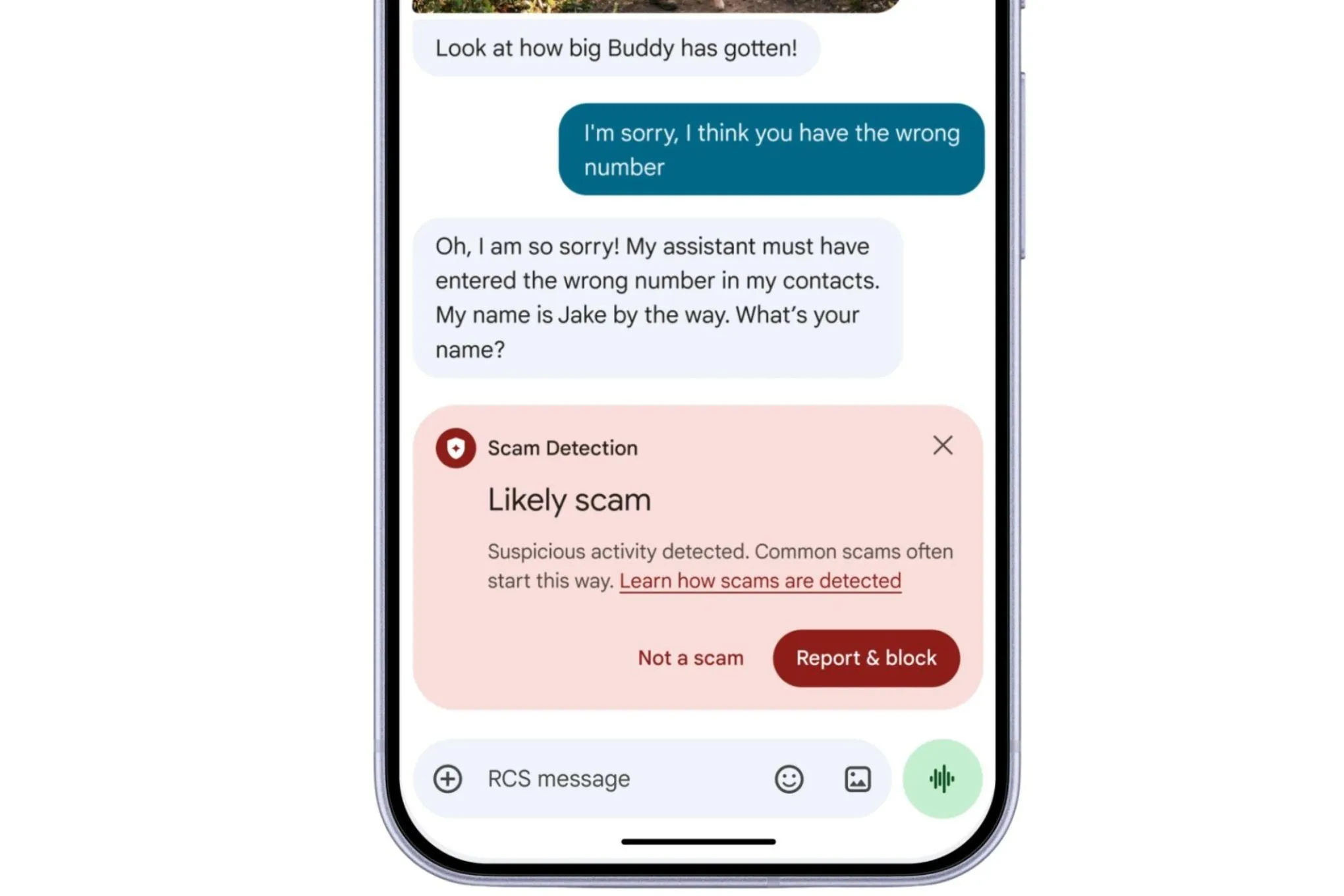
Google’s new AI‑powered enhanced protection in Android Messages uses Gemini to analyze unknown senders and links, giving users an opt‑in safeguard against scams.
Introduction
Google is bolstering Android’s fight against mobile fraud with an opt‑in “enhanced protection” mode for Google Messages. Leveraging the Gemini family of AI models, the feature evaluates the intent of messages from unknown contacts and scans suspicious URLs before they’re opened. The rollout promises tighter security for millions of Android users while keeping data encrypted and processed in a secure cloud environment.
How Gemini AI powers scam detection
- Cloud‑based intent analysis: When a message arrives from an unrecognized sender, the Gemini model runs a quick assessment in Google’s secure cloud to infer whether the content resembles known scam patterns. This complements the on‑device detection that already flags obvious phishing attempts.
- On‑device Gemini Nano: For real‑time web‑link checks, a lightweight version of Gemini runs locally, examining URLs against known malicious signatures and emerging threats. The analysis happens before the link is rendered, giving users a warning if the destination looks unsafe.
- Privacy‑first design: All message data is encrypted end‑to‑end during transmission. Google states that the AI processing occurs in a dedicated secure space that is inaccessible to Google staff, preserving user confidentiality while still benefiting from powerful cloud intelligence.
Expanded security ecosystem
Beyond AI‑driven message screening, Google is introducing several related safeguards:
- Call‑forwarding block: Apps can no longer silently enable call forwarding, and users receive a notification if an attempt is made.
- Screen‑share protection: Sensitive information—such as passwords or personal identifiers—is automatically concealed when users share their screen via Chrome or Android WebView.
- Broader device coverage: The original scam‑detection feature, first limited to Pixel phones, is being extended to a wide range of Android manufacturers, including Honor, Motorola, Oppo, OnePlus, Realme, Tecno, Vivo, and Xiaomi. Google aims to reach “hundreds of millions of additional users” later this year.
What users need to know
- Enable the feature: The enhanced protection mode is not turned on by default. Users can activate it in the Google Messages settings under Privacy & security → Enhanced protection.
- Understand the alerts: When Gemini flags a message or link, the app will display a clear warning with an option to view the content in a safe preview mode or discard it entirely.
- Stay updated: As Google refines the AI models, periodic updates will improve detection accuracy. Keeping the Messages app and Android system up to date ensures you benefit from the latest protections.
Practical takeaways
- Turn on enhanced protection if you frequently receive messages from unknown numbers—especially for banking, delivery, or account‑verification communications.
- Verify links manually when a warning appears; avoid tapping until you’re sure the URL is legitimate.
- Combine with other habits such as using two‑factor authentication and limiting the personal information you share in SMS conversations.
By integrating Gemini’s AI capabilities with strong encryption and on‑device checks, Google is offering Android users a more proactive shield against the ever‑evolving tactics of scammers. The approach balances powerful detection with privacy, making it a worthwhile addition to any mobile security toolkit.
Source
Read original sourceWhy we picked this
Android uses AI for scam detection, a notable AI-driven security feature